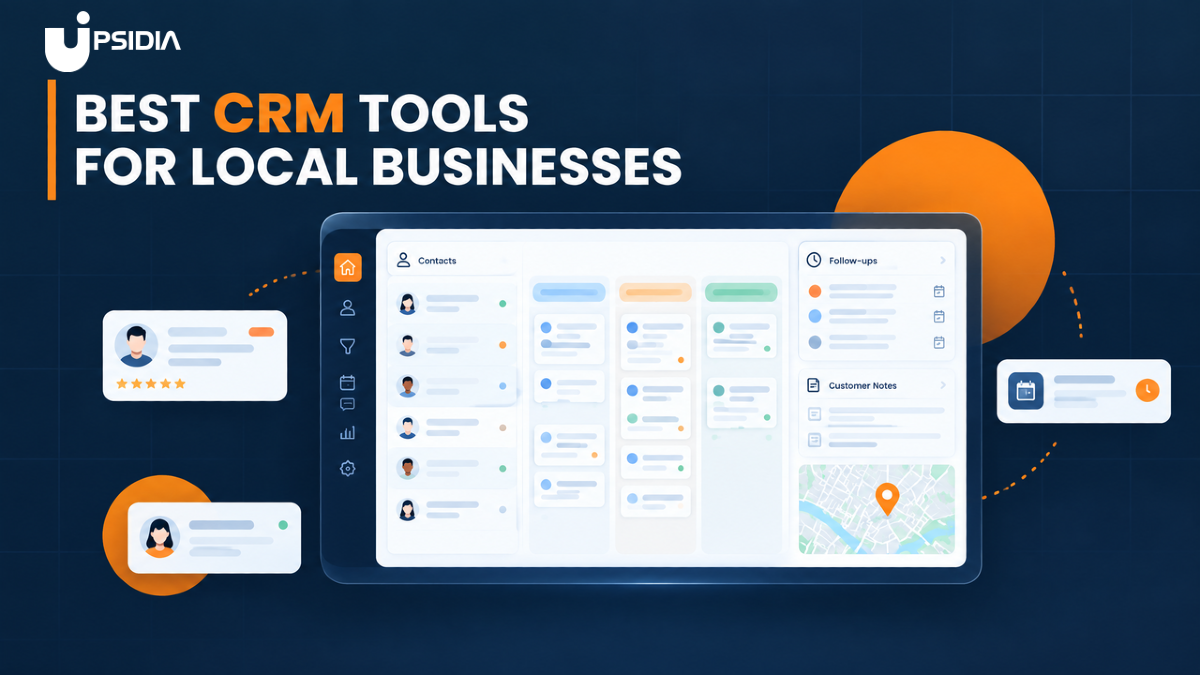
Best CRM tools for local businesses
Compare the best CRM tools for local businesses and tradespeople, including their features, pricing, and what to look for when choosing the right CRM.
· 14 min read
Closing a job and getting paid feels great, but it’s just the beginning. The real work of building a trade business happens after the invoice is settled: remembering what job you did for a customer, when their maintenance is scheduled, which ones need follow-up for repeat work, or simply recognising them by name when they call again.
The problem is that most tradespeople are still running these from memory, old texts, or a stack of paper invoices. It works fine with ten customers but falls apart as the number increases.
That’s where a CRM tool comes in. It's the difference between relying on your memory for every job detail and having every customer’s history (preferences, notes, next service date, etc.) ready the second they call.
In this guide, we will look at what a CRM actually does for local businesses, why it matters, the best CRM tools on the market right now, and how to choose the right one for your business.
What is a CRM for local businesses?
A CRM (Customer Relationship Management) tool is a centralised tool that stores customer information and keeps interactions organise.
For a local business, a simple CRM helps you store customer details, keep track of enquiries and jobs, record past conversations, understand customer needs, set reminders for follow-ups, and build stronger relationships with your customers.
Instead of searching through email, notes, and spreadsheets for a customer's full history, you can see it in one place. This helps you build stronger relationships, provide better service, and spot opportunities to grow.
Why do local businesses need a CRM?
Repeat customers typically spend 67% more than new ones, which is proof that staying organised and keeping in touch pays off directly in revenue. That’s why most successful local businesses focus on keeping their existing customer base rather than constantly chasing new leads.
But retention doesn’t just happen by accident. It happens when a business remembers its customers well enough to keep showing up for them. That’s exactly what a CRM is built for.
Here is why it helps.
Keep track of customers' information
Every job leaves a trail of information behind: contact details, property notes, job history, and previous conversations. Without a CRM, this information can remain scattered in notebooks, emails, old text messages, and even your memory.
A CRM keeps these details together, making it easier to find what you need when a customer calls, books another job or asks about previous work.
Never miss follow-ups
It's easy to forget to call a customer back when you are busy with jobs, quotes, and every other thing that comes with running a business.
A CRM tool can help you keep track of follow-ups by recording what needs to be done and when. Whether you need to check in after sending a quote, follow up with an enquiry, or contact a past customer, you can have a clear reminder of what needs your attention.
Stronger customer relationships
Customers notice when a business remembers them or a detail about a job that matters to them. Having their job history, conversations, and preferences in one place makes it easier to provide a more personal experience each time they get in touch.
You can quickly see what work you have done before, pick up on previous conversations, and understand what they need without starting from scratch.
Time-saving
Time is one of the most limited resources for every business owner. Every minute spent digging through old messages, invoices, and notes to piece together a customer history is time taken away from doing the work that actually generates revenue for your business.
A CRM keeps your tasks and schedule in one place, telling you what needs your attention and when, automates regular follow-up when needed, and brings all your customer information into one place.
Informed decision-making
Many local businesses end up making decisions based on guesswork. Which customer comes back most often? Which services bring in the most work? Or which offer to give to attract more customers?
A CRM doesn’t just store details; it shows patterns. It gives you a clearer picture of what’s happening with your customers, so you can make decisions based on what you already know rather than on what you think.
Improved team collaboration
Customer relationships are rarely owned by a single person. A customer could speak to the office about a booking, a tradesperson on-site about the job, and someone else about an invoice.
A CRM gives everyone on the team a shared record of the customer, including previous conversations, job details, notes, and follow-ups. So if someone else needs to take over a job, they can see what has already been discussed and what needs to happen next without chasing another team member for the details.
Best CRM tools for local businesses
There are a lot of CRM and job management tools out there, but not all of them were built for trade businesses. Here are a few of the best options for local and trade businesses.
Upsidia
Upsidia is an all-in-one software built specifically for UK trades and local service businesses. This platform combines CRM, quotes, invoices, online booking, job scheduling, quote-to-invoice, and a mini customised trade website, all in one login.
This means that work happens in one place without having to lose information and time because of the use of multiple platforms. It makes sign-up and data import easy for quick adaptation.
Best for: Trade businesses that want customer history, follow-ups and job management in one place without having to use other platforms.
Key features:
Accessible customer hub. No need to navigate different channels for customers' information. You can manage everything in one place.
Follow-ups and reminders are integrated into each customer record. Nothing depends on memory or sticky notes because reminders are in place for every customer; you never forget about a quote that has gone quiet or a job that needs to be done again.
Import your existing customer list in minutes. Upsidia allows you to import your customer list straight from your spreadsheet or another tool, so you don’t have to start from zero or retype every contact by hand.
Client and asset notes. It allows you to keep details of the property, equipment and job history so that nothing gets missed between jobs.
Customer value at a glance. See each customer’s total value and revenue received, so you know exactly who your repeat, high-value customers are.
Quote-to-invoice in one flow. Turn an accepted quote straight into an invoice without re-entering job details.
Pricing: Start with a free plan that gives two users access to 100 customers and 3 quotes/invoices a month and requires no card. Upgrade to Pro at €29/month for unlimited quotes, invoices, bookings and SMS messaging or Team at €59/month for up to 100 users and advanced analytics.
ServiceM8
ServiceM8 is a job management tool popular with trades running on Apple devices, thanks to the iOS-first design. It is built for tradespeople on the go who are focused on getting quotes, jobs, and invoices done from the field rather than a desktop.
Best for: Small teams that work mainly from their phones and want a clean mobile-first experience.
Key features:
iOS-first design. Built around iPhone and iPad workflows, so quoting, scheduling, and invoicing can happen while in the field.
Job diary and scheduling. A visual board tracks every job from first enquiry through to completion, so nothing is missed.
Client and asset records. Keeps site notes, equipment details, and job history attached to each customer, useful for repeat call-outs on the same property.
Pricing: ServiceM8 charges are based on the number of jobs completed each month rather than per user, which can suit small teams. The starter pack is at $29/month and includes 50 jobs/month, the Growing pack is at $79/month for 150 jobs/month, the Premium tier is at $149/month for 500 jobs/month, and the Premium Plus is at $349/month for 1500+ jobs/month.
Tradify
Tradify is a job management software built for tradespeople who quote on-site and want the administrative tasks to be handled automatically.
Best for: sole traders and small teams wanting a tool that is quick to set up.
Key feature:
Fast quoting workflow. Create a quote on-site from your phone; the client accepts it online, and the job lands straight on your schedule.
Accounting sync. Integrates with Xero, QuickBooks, and Sage (UK/Ireland), so invoicing and bookkeeping stay aligned without manual entry.
Custom branding and communication history. Keeps a record of every customer interaction alongside quotes and job notes.
Pricing: Tradify uses per-user pricing rather than a flat fee. Lite is $47/user/month (job management, scheduling, quoting and invoicing), Pro is $51/user/month (adds custom branding and communications history), and Plus is $61/user/month (adds job tasks, purchase orders, and bulk invoicing). There's no permanent free plan, but a 14-day free trial is available with no card required.
Zoho CRM
Zoho CRM is a broader, more customised CRM platform rather than a trade-specific tool, aimed at businesses that want flexibility to shape the CRM around their own workflow.
Best for: Customisation on a budget
Key features:
Easy integration. Works with various business tools across your tech stack to enhance your workflow.
Blueprint function. Provides a step-by-step interactive flowchart to help users navigate workflows.
The interface is easy to use. You can get started more quickly because it is simple to use.
Pricing: Zoho CRM has a free tier that allows access to 3 users, then a Standard tier for a small team at the price of £12/user/month with email integration, calendar integration and data capture via forms; the Professional tier is at £18/user/month with AI agents, process management and custom portals, and then the Enterprise tier at £35/user/month with multi-team management, reporting hierarchy, and account-based marketing.
Jobber
Jobber leans heavily into CRM and customer communication alongside job management, aiming to give service businesses a full breakdown from enquiry to repeat booking.
Best for: Service businesses that want to automate marketing and lead follow-up, not just job tracking
Key features:
Client hub. Customers can view quotes, request work, and pay online through a self-serve portal.
Automated follow-ups. Chases quotes that have gone quiet and reminds customers of upcoming visits automatically.
Route optimisation. Helps plan efficient schedules for field teams covering multiple jobs a day.
Pricing: Jobber has no permanent free plan but offers a 14-day free trial. Its paid plan starts with the Core tier at around $49/month/user, covering quoting, invoicing, scheduling, and basic CRM. The Connect tier at $139/month/user covers automated follow-ups, job costing, and online booking. The Grow tier at $199/month/user adds a two-way SMS and automated payments.
Fergus
Fergus was built by a plumber and focuses on quoting, scheduling, invoicing, and job costing for trades, with reporting depth aimed at businesses that want to track profitability closely.
Best for: Growing teams that want to track job profitability closely
Key features:
Job costing. Tracks materials, labour, and margins per job, so you know which jobs are actually profitable.
Visual job workflow. Tracks every job from enquiry through to invoice on a clear job card system.
Supplier and accounting integrations. Syncs with Xero, QuickBooks, and MYOB, plus supplier price book integration.
Pricing: Fergus charges per user, per month, with two main tiers. Essentials/Basic starts at around $53/user/month, covering job management, quoting, invoicing, GPS tracking, and timesheets. Pro/Professional runs around $75/user/month, adding business reporting, checklists, and file/photo storage.
Features to look out for in a CRM
Once you have narrowed down a few options, it helps to know what to compare them on.
Here’s what actually matters when choosing a CRM for a trade business.
Data backup and security
For a business owner, your customer records, history, and payment details are some of the most important information your business holds. To reduce the risk of data loss, consider how and where your CRM data is stored. Look for a system that supports automatic backups to ensure your data is safe so that a lost phone or glitchy laptop doesn’t mean losing years of customer history.
Workflow management
The best CRM doesn't just store information; they move them. A good CRM moves a job forward on its own: an accepted quote becomes a job, a completed job turns into an invoice, and a paid invoice triggers a follow-up or a review request, without you retyping any information or detail.
Mobile access
Trade work happens on-site, not behind a desk. A CRM enables your team to log in and manage crucial business data from any device and any location, which means you can quote a job while standing in someone’s kitchen, mark a job as completed from a van, or check a customer’s history before knocking on their door.
Cost
CRM pricing varies wildly. Some charge per use, some charge flat monthly fees, while some have a capacity for job volume or contact limit in their free plans. Work out what your business will actually use month to month, and weigh that against what each plan includes.
Contact limit
Some free or entry-level plans put a limit to how many customers you can store, which is sometimes lower than what you expect. If you are building a long-term customer base, check this limit carefully so you are not forced to upgrade sooner than expected.
Easy adoption
A CRM is only useful to you and your team when it can actually be used on a daily basis without it feeling like a second job to learn. Look for a clean, simple interface where logging a job or finding a customer doesn’t take a long time.
If a tool takes weeks of training just to get comfortable with, chances are that it will get pushed aside and everybody goes back to the old ways of using a spreadsheet or a notebook.
How to choose the right CRM for your business
With so many options out there, picking the right one comes down to matching the tool with how your business actually works. These steps can help you identify the right CRM platform for your small business:
Start with your business needs
Before comparing tools, get a clear understanding of the problem you are currently trying to solve. Are you missing follow-ups? Losing customer details in between jobs? Struggling to keep quotes and invoices organised? Your biggest pain point should guide which feature you need the most.
Consider the size of your business and team
A sole trader has a very different need from a team of ten running multiple jobs in a day. Some CRMs charge per user, which gets expensive fast for bigger teams, while others use flat or job-based pricing that scales better.
Match the price model to your team size, not just the feature list.
Check the features you actually need
It's easy to get pulled by a long list of features, but not every feature will matter to your business. Focus on what solves your specific problems, whether it is follow-up automation, job costing, or online booking, rather than paying for capabilities that you will never use.
Make sure it integrates with other tools
Most trade businesses already use accounting software, payment processors, or a calendar app. Check to see if any of the CRM you are considering connects with what you already use, so you don’t have to manually transfer any data between different systems.
Try the CRM before committing
Most CRMs offer a free trial or a free plan; use it. Test the tool with real jobs and customers for a couple of days or weeks (the plan allows) before committing, so you can know if it fits with your workflow.
Conclusion
Choosing a CRM isn't about picking the tool with the most features; it's about picking the one that fits how your trade business actually runs.
Whether you're a sole trader trying to get more customers or a growing team managing multiple jobs a day, the right CRM should save you time, not add another thing to manage.
For UK trades and local service businesses, Upsidia brings together CRM, quotes, invoices, bookings, and job scheduling in one place under a single login, with follow-ups and reminders built in so no customer gets forgotten.
The best time to start is before you lose another customer to a missed follow-up. Want to treat every customer as a regular? Sign up for free, import your list, and keep their history ready whenever they call back.
Frequently asked questions
What is the best CRM tool for a local business?
The best CRM depends on how your business operates and what you need it to manage. For trade and local service businesses, a CRM that combines customer records with features such as follow-ups, job management, quotes, invoicing and scheduling can reduce the need to switch between different platforms.
Can a CRM tool replace a spreadsheet?
Yes. A CRM can replace a spreadsheet for managing customer information by keeping contact details, job history, notes, follow-ups and other customer records in one place. Many CRMs also offer features that spreadsheets cannot easily handle, such as reminders, automated follow-ups and workflow management.
How do I choose the right CRM for a small business?
Start by identifying the problems you want the CRM to solve. Consider whether you need better follow-ups, customer records, job management, quoting or invoicing. Then compare the features, pricing, team size, integrations and ease of use of the CRMs you are considering. A free trial or plan can also help you test whether it fits your workflow before committing.
What are the most important features to look out for when choosing a CRM?
Look for features that match the way your business works. Important areas to consider include customer management, follow-ups and reminders, workflow management, mobile access, data backup and security, integrations, pricing, contact limits and ease of use.
When is the right time for a business to get a CRM?
There is no specific business size you need to reach before getting a CRM. If customer information is scattered across spreadsheets, messages, notebooks or your memory, or you are starting to miss follow-ups, a CRM can help you stay organised before those problems become harder to manage.
Want more customers without doing the marketing yourself?
Tell us about your business and we will show you what is holding it back online. No obligation.
Contact us →One useful marketing idea for your trade, straight to your inbox
No spam, no selling your data. Unsubscribe with one click.
Related articles
Best cleaning software for cleaning companies
Choosing the right software can be the difference between a cleaning business that runs itself and one that is always trying to catch. Here's how to compare tools, including Upsidia, Jobber, ZenMaid, Housecall Pro, ServiceM8, mHelpDesk, and Tradify, and pick the one that actually fits how you work.
· 13 min read
How to track repeat customers for trade businesses
Repeat customers are some of the most valuable people on your books, but only if you know who they are. This guide breaks down the best ways to track repeat customers, from simple spreadsheets to trade-specific CRMs, plus how to turn that data into more bookings, reviews, and referrals.
· 14 min read

9 Ways to Get More Reviews as a Tradeperson
Want more customer reviews for your trade business? Discover 9 practical ways to encourage reviews, from asking at the right time to using review management software.
· 10 min read